

Table Of Content
Table Of Content
Choosing the wrong industrial Ethernet switch can increase network costs and cause unexpected downtime. I often see buyers struggle to choose between Layer 2 and Layer 3.
To select a Layer 2 or Layer 3 industrial Ethernet switch, I recommend checking network size, IP routing needs, connected devices, and future expansion. Layer 2 switches are suitable for local network communication, while Layer 3 switches support routing between different IP networks. The right choice depends on the application.
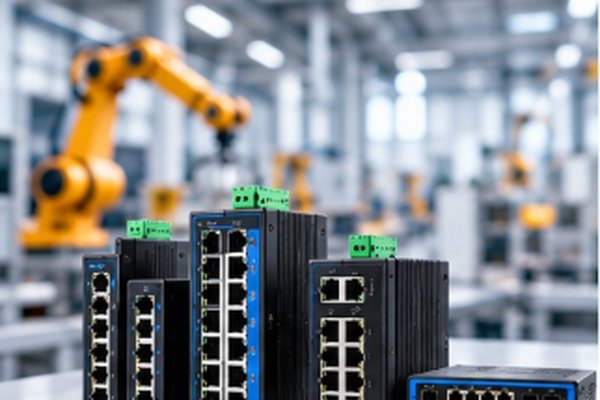
In industrial automation, network reliability affects production efficiency, equipment communication, and operating costs. A network problem can interrupt communication between PLCs, industrial cameras, and control systems.
I believe choosing an industrial Ethernet switch should start with the actual application, not the number of features listed in a product catalog.
Some projects only require reliable communication between nearby devices. Others need multiple networks to exchange data across production lines, buildings, or industrial facilities.
Understanding these differences helps buyers avoid unnecessary costs and select products that support long-term network stability.
What Is the Difference Between Layer 2 and Layer 3 Industrial Ethernet Switches?
Many buyers compare Layer 2 and Layer 3 switches by price or port count. However, this approach can lead to the wrong choice when network requirements become more complex.
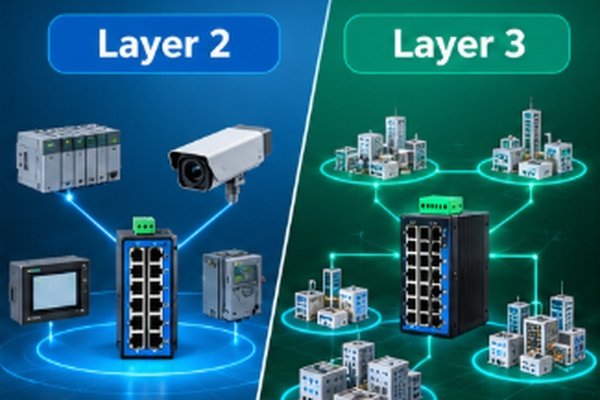
A Layer 2 industrial Ethernet switch forwards data using MAC addresses within a local network. A Layer 3 industrial Ethernet switch adds IP routing capabilities, allowing data to move between different IP subnets. Layer 2 is suitable for local communication, while Layer 3 supports networks that require routing.
How Does a Layer 2 Industrial Ethernet Switch Work?
I usually explain Layer 2 switching with a simple factory example.
A production line may have several PLCs, sensors, industrial cameras, and control computers.
These devices need to exchange information quickly and reliably.
A Layer 2 switch learns the MAC addresses of connected devices and forwards Ethernet frames through the correct ports.
When the devices communicate within the same local network, Layer 2 switching is often enough.
Managed Layer 2 switches may also support VLANs, Quality of Service (QoS), port monitoring, and redundancy protocols.
These features help engineers organize traffic and troubleshoot communication problems.
However, a conventional Layer 2 switch cannot independently route user traffic between different IP subnets.
How Does a Layer 3 Industrial Ethernet Switch Work?
A Layer 3 switch performs Layer 2 switching and adds IP routing functions.
I consider Layer 3 switches when different industrial networks must communicate.
For example, a factory may separate its production equipment, security cameras, and management systems into different IP subnets.
A Layer 3 switch can route traffic between these networks when the required routing functions are supported and configured.
This can reduce the need to send all traffic through a separate upstream router.
However, I do not assume that every Layer 3 switch supports the same routing protocols or network security features.
I always recommend checking the product datasheet before selecting a model.
Layer 2 vs. Layer 3 Industrial Ethernet Switch Comparison
Feature
Layer 2 Industrial Switch
Layer 3 Industrial Switch
Main function
Ethernet frame forwarding
Ethernet switching and IP routing
Forwarding method
MAC address
MAC address and IP routing
IP routing
Not normally supported
Supported
VLAN support
Available on managed models
Available on managed models
Inter-VLAN routing
Requires another routing device
Available on supported models
Network configuration
Usually simpler
Usually more advanced
Typical application
Local production networks
Multi-subnet industrial networks
Product cost
Generally lower
Often higher
From my perspective, the most important question is not which switch is more advanced.
The real question is whether the network needs IP routing at the switch level.
A well-designed Layer 2 network can be more practical than a Layer 3 network with unnecessary functions.
When Should You Use a Layer 2 Industrial Ethernet Switch?
Some buyers think an industrial network always needs advanced routing. This can increase equipment costs and create unnecessary configuration work.
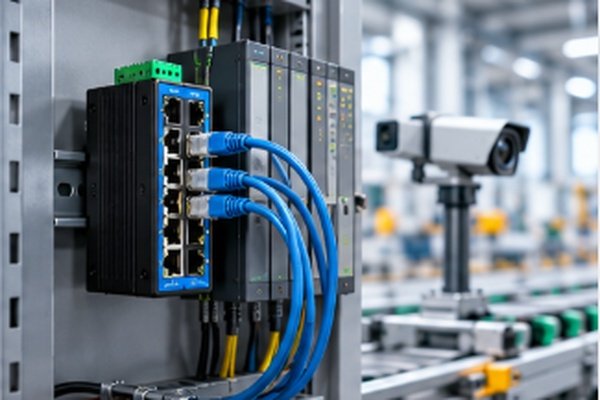
I recommend Layer 2 industrial Ethernet switches when connected devices mainly communicate within the same local network. They are commonly suitable for machine control, PLC communication, industrial cameras, and small factory automation systems that do not require routing between different IP subnets.
Why Is Layer 2 Suitable for Factory Automation?
In many industrial applications, the network connects equipment within one production area.
I often use the following example to explain this situation.
A packaging production line may include:
These devices often communicate within one subnet.
If the system does not require routing between separate networks, a Layer 2 industrial Ethernet switch can provide the necessary connectivity.
For more demanding applications, I would consider a managed Layer 2 switch.
Managed models can offer VLAN configuration, network monitoring, and traffic management.
These functions help engineers identify communication problems and control network traffic.
Can Layer 2 Switches Support Machine Vision Systems?
Machine vision is another application where Layer 2 switches can be useful.
Industrial cameras often send large amounts of image data to processing computers.
When several cameras operate at the same time, the network must provide enough bandwidth and stable data transmission.
I would check the total camera traffic, Ethernet port speed, uplink capacity, and packet buffering before choosing a switch.
For GigE Vision applications, I would also verify support for any required jumbo frames, multicast management, and camera network settings.
A suitable Gigabit Layer 2 switch can support machine vision when the required traffic stays within the same local network.
However, a switch with insufficient capacity may contribute to dropped packets and delayed image delivery.
I believe network capacity matters more than simply choosing a higher network layer.
When Does Layer 2 Become Insufficient?
Layer 2 becomes less suitable when a project requires the switch itself to route traffic between separate IP subnets.
For example, a factory may need one subnet for production equipment and another for quality inspection.
A managed Layer 2 switch can separate traffic using VLANs.
However, communication between these VLANs requires a routing device.
A router, firewall, or suitable Layer 3 switch can provide that function.
I recommend identifying these communication requirements before purchasing equipment.
This simple step helps avoid future network redesign costs.
When Should You Choose a Layer 3 Industrial Ethernet Switch?
As industrial networks grow, communication between different production areas becomes more complex. Without proper routing, network expansion and management can become difficult.
I recommend Layer 3 industrial Ethernet switches for networks that require communication between multiple IP subnets. They are useful in large factory networks, industrial parks, intelligent transportation systems, and smart manufacturing facilities where routing, network segmentation, and future expansion are important.

Why Do Large Industrial Networks Need Layer 3 Switching?
I believe large factories need a network structure that is easy to manage and expand.
For example, a manufacturing facility may operate several production lines, quality inspection systems, security cameras, and management computers.
These systems may use separate IP subnets.
A Layer 3 switch can route communication between those subnets when the required routing features are available.
This can help organize network traffic and support communication between different production areas.
However, Layer 3 switching does not automatically provide complete network security.
A secure industrial network may also require firewalls, access control policies, monitoring tools, and other protective measures.
I recommend working with the network engineer to define which systems need to communicate and which should remain separated.
How Can Layer 3 Support Smart Manufacturing?
Smart manufacturing increasingly connects machines, industrial computers, monitoring systems, and production management software.
These systems may operate across different departments or buildings.
I would consider Layer 3 industrial Ethernet switches when the network design requires routing between those locations.
For example, a smart factory may use separate networks for machine control, automated inspection, and production reporting.
A Layer 3 switch may support communication between these networks without requiring every connection to pass through the same upstream router.
However, the network design must also consider traffic load, redundancy, and security.
For time-sensitive industrial communication, I would verify protocol compatibility and performance under actual operating conditions.
Is Layer 3 Always Better Than Layer 2?
I do not believe Layer 3 is always the better choice.
A Layer 3 switch usually provides more routing functions, but those functions may not be needed in a small industrial network.
An unnecessary Layer 3 purchase can increase equipment costs and configuration requirements.
I also consider the technical knowledge required to maintain the network.
For a simple local application, Layer 2 may provide a better balance between reliability, cost, and ease of management.
For a larger network with routing requirements, Layer 3 can provide greater flexibility.
My approach is to match switch capabilities to the network design rather than purchasing the most advanced model.
What Is the Difference Between Layer 2, Layer 2+, and Layer 3 Switches?
Product catalogs often list Layer 2, Layer 2+, and Layer 3 industrial switches together. Buyers may assume the differences are small, but the supported functions can vary considerably.
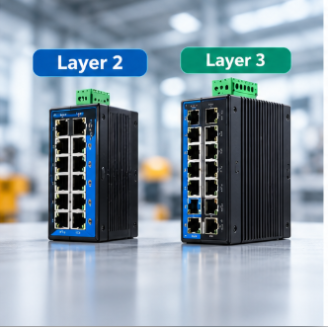
Layer 2 switches provide Ethernet switching without general IP routing. Layer 2+ switches may offer limited routing functions, such as static routing, depending on the manufacturer. Layer 3 switches provide more complete IP routing capabilities. Buyers should compare actual features rather than relying only on product labels.
What Does Layer 2+ Mean?
I often find that Layer 2+ creates confusion during product selection.
Unlike Layer 2 and Layer 3, Layer 2+ is not a single, universally defined networking standard.
Manufacturers may use this term for managed Layer 2 switches with additional functions.
Some Layer 2+ models support basic static routing.
Other models focus on advanced VLAN management, redundancy, or monitoring.
For this reason, I never assume a Layer 2+ switch can route traffic simply because of its product name.
I recommend checking the datasheet for:
How Should Buyers Compare Different Network Layers?
I suggest using the following comparison when reviewing industrial Ethernet switch options.
Requirement
Layer 2
Layer 2+
Layer 3
Local Ethernet switching
Yes
Yes
Yes
VLAN support
Managed models
Usually
Usually
Static routing
No
Model-dependent
Usually
Dynamic routing
No
Generally limited or unavailable
Model-dependent
Inter-VLAN routing
No
Model-dependent
Yes, on suitable models
Typical network role
Machine-level access
Managed access or limited routing
Routing and network aggregation
I believe buyers should also distinguish between managed and unmanaged switches.
A managed switch allows network configuration and monitoring.
However, a managed switch is not automatically a Layer 3 switch.
A managed Layer 2 switch can offer VLANs, traffic priority, network diagnostics, and redundancy without performing IP routing.
This distinction is important when comparing supplier quotations.
I recommend asking suppliers to identify the exact functions supported by each proposed model.
This helps buyers avoid paying for features they do not need or receiving equipment that cannot meet their application requirements.
What Should Buyers Consider Before Purchasing an Industrial Ethernet Switch?
A switch may have the correct network layer but still perform poorly in the field. I believe technical selection must go beyond routing features.
Before purchasing an industrial Ethernet switch, I recommend evaluating port count, transmission speed, PoE requirements, operating temperature, power redundancy, uplink interfaces, product certifications, and supplier delivery capability. Buyers should also check MOQ, sample availability, and long-term supply support.
How Many Ports Does an Industrial Ethernet Switch Need?
I usually begin by counting the number of devices that need network connections.
Industrial Ethernet switches are available in different port configurations.
At STAR FIRE TECH, our product range includes 4-port, 8-port, 16-port, and 24-port industrial switch options.
I recommend allowing enough available ports for uplinks and reasonable future expansion.
However, a higher port count is not always necessary.
A compact switch may be more suitable for a small industrial cabinet where installation space is limited.
I also check whether the connected devices require Fast Ethernet or Gigabit Ethernet.
For machine vision, data collection, and high-bandwidth monitoring, transmission capacity becomes particularly important.
When Should Buyers Choose an Industrial PoE Switch?
I often recommend considering PoE when a project includes IP cameras or other compatible powered devices.
PoE allows supported equipment to receive electrical power and Ethernet data through the same cable.
This can reduce separate power wiring requirements.
However, the switch must provide enough power for the connected devices.
For example, a CCTV project with multiple IP cameras may require a different PoE budget from a system with only a few low-power cameras.
I recommend checking both the per-port PoE output and the total power budget.
I would also verify the required PoE standard and power supply capacity before confirming a product.
Why Do Industrial Environmental Specifications Matter?
Industrial switches often operate near machinery, motors, electrical cabinets, and other equipment.
These environments may expose network devices to temperature changes, vibration, dust, and electromagnetic interference.
I recommend checking the following specifications:
For projects involving movement, vibration, or demanding connector requirements, I may recommend an M12 industrial Ethernet switch.
M12 connections can provide secure industrial connectivity when correctly selected and installed.
However, the complete switch must have the appropriate protection rating for the intended environment.
I would not assume that an M12 connector makes the entire product waterproof.
How Can Flexible MOQ and Delivery Reduce Procurement Pressure?
From my perspective, industrial Ethernet switch purchasing is not only about technical specifications.
It is also about inventory, project schedules, and purchasing risk.
A distributor may need to test a new model before adding it to a product catalog.
A system integrator may need only a few switches for a customer project.
A large minimum order quantity can increase inventory investment and leave buyers holding products that are not immediately needed.
At STAR FIRE TECH, we support flexible purchasing arrangements for industrial Ethernet switches.
Our key advantages include:
Item
STAR FIRE TECH Capability
Product categories
Unmanaged, managed, L2, L2+, and L3 switches
Port options
4, 8, 16, and 24 ports
Ethernet speed
Fast Ethernet and Gigabit Ethernet options
PoE
PoE and non-PoE options
Industrial designs
Desktop and M12 industrial switch options
Minimum order quantity
From 1 piece for supported models and customization
Sample lead time
Generally 3–5 days
Mass production lead time
Approximately 30 days
Compliance
CE, FCC, RoHS, and REACH, subject to model and documentation
I believe flexible MOQ can help buyers reduce inventory pressure and evaluate products before committing to larger orders.
Fast sample delivery can also help system integrators respond to time-sensitive project requirements.
For long-term supply arrangements, I recommend confirming the expected order volume, required configuration, production schedule, and compliance documents in advance.
How Should Buyers Evaluate an Industrial Ethernet Switch Supplier?
I believe a reliable supplier should do more than offer a competitive price.
The supplier should understand the application and help buyers select a suitable product.
Before choosing a manufacturer, I recommend asking several practical questions.
Does the supplier offer the required Layer 2 or Layer 3 functions?
Can the supplier provide technical documentation for the exact model?
Does the proposed switch meet the network's bandwidth, PoE, and environmental requirements?
Can the supplier support sample testing before volume production?
Are the MOQ and delivery schedule suitable for the project?
These questions help buyers compare suppliers based on practical project needs.
At STAR FIRE TECH, we have been providing connectivity solutions since 2006.
Our industrial communication product range includes managed and unmanaged industrial Ethernet switches, PoE switches, and M12 industrial switch options.
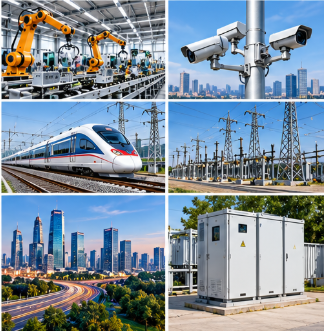
We support industrial automation, CCTV surveillance, smart cities, intelligent transportation, industrial parks, and remote monitoring applications.
I believe successful industrial network projects depend on choosing equipment that matches both technical requirements and purchasing needs.
For more information about our industrial Ethernet switches and connectivity solutions, please visit:
Conclusion
I recommend choosing Layer 2 for local networks and Layer 3 when routing is required. The right industrial switch should balance network performance, reliability, cost, and future needs.


