Table Of Content
Table Of Content
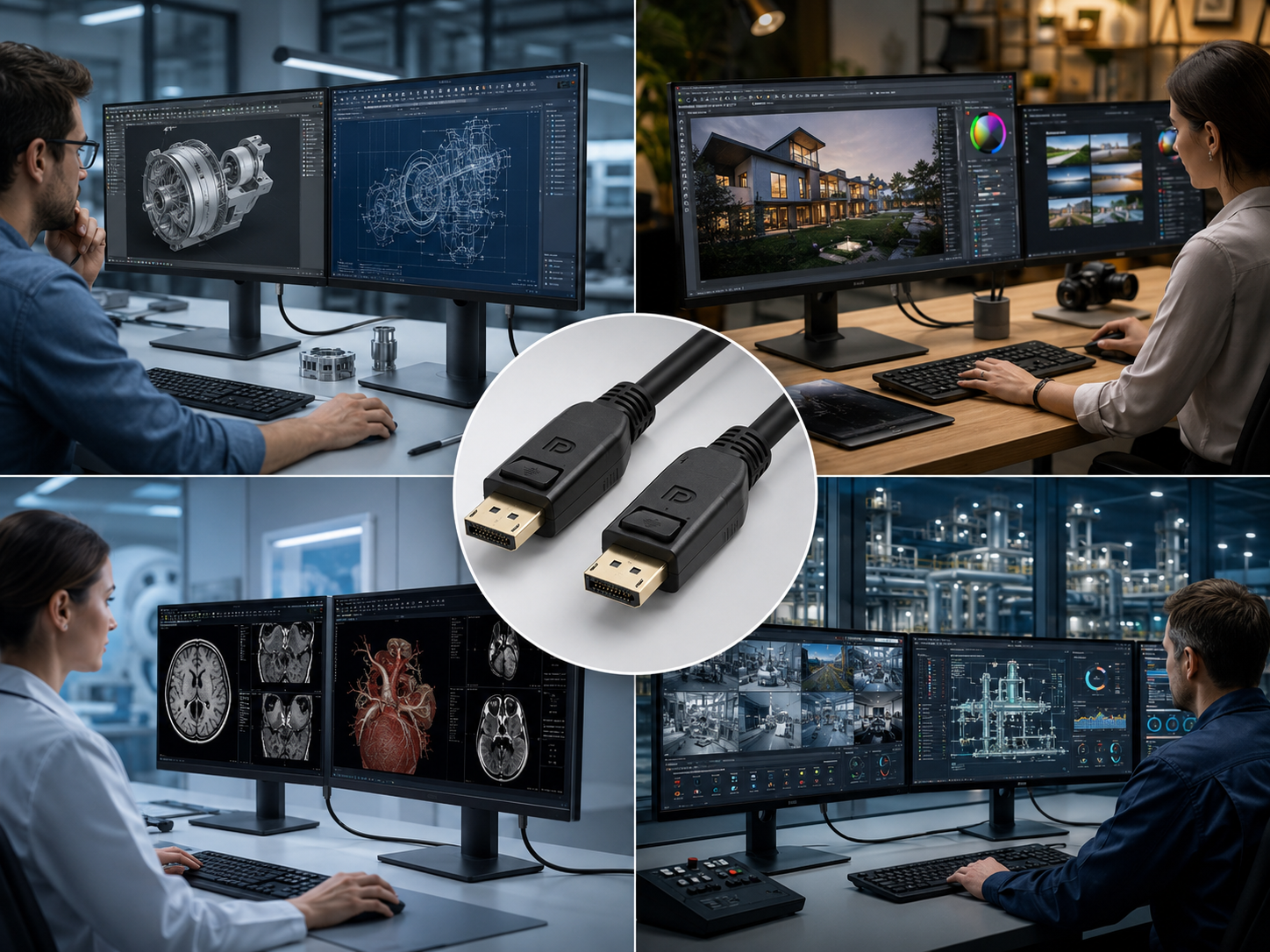
In many professional display environments, users focus heavily on the monitor, graphics card, and software. But one small component is often overlooked: the DisplayPort copper cable. For engineering workstations, design studios, medical imaging displays, control rooms, and high-refresh-rate monitors, the DP cable is not just an accessory. It is part of the system’s signal performance.
When a DisplayPort connection is unstable, the problem can appear in different ways. The screen may flicker. The monitor may fail to wake up. The resolution may drop unexpectedly. A high-refresh-rate display may not reach its expected setting. In multi-monitor systems, one screen may disconnect while others continue working. These issues can interrupt workflow and create real costs for customers.
The Customer Problem: High-Performance Displays Need a Stable Signal Path
DisplayPort is commonly used in professional environments because it supports high-resolution and high-refresh-rate display applications. But higher display performance also means the signal path becomes more sensitive to cable quality. A low-quality DP cable may work at a basic resolution, but fail when the customer needs higher bandwidth, longer cable distance, or a more demanding display mode.
This matters for customers who depend on accurate and continuous visual output. A designer reviewing detailed graphics, an engineer checking CAD models, or an operator monitoring multiple screens cannot afford random signal drops. The cable should support the display system, not become the weakest link.
图2
What Buyers Should Check Before Choosing a DP Copper Cable
The first question should be: What is the real application? A gaming monitor, a medical display workstation, a control room screen, and an industrial visual system may all use DisplayPort, but their requirements are different. Buyers should check the required resolution, refresh rate, cable length, connector design, shielding, and installation environment.
For professional buyers, cable length is especially important. As the cable gets longer, signal attenuation becomes more difficult to control. Shielding also becomes more important when the cable is installed near power supplies, industrial devices, or high-density equipment. A stable DP copper cable needs a balanced design between bandwidth performance, mechanical durability, flexibility, and EMI protection.
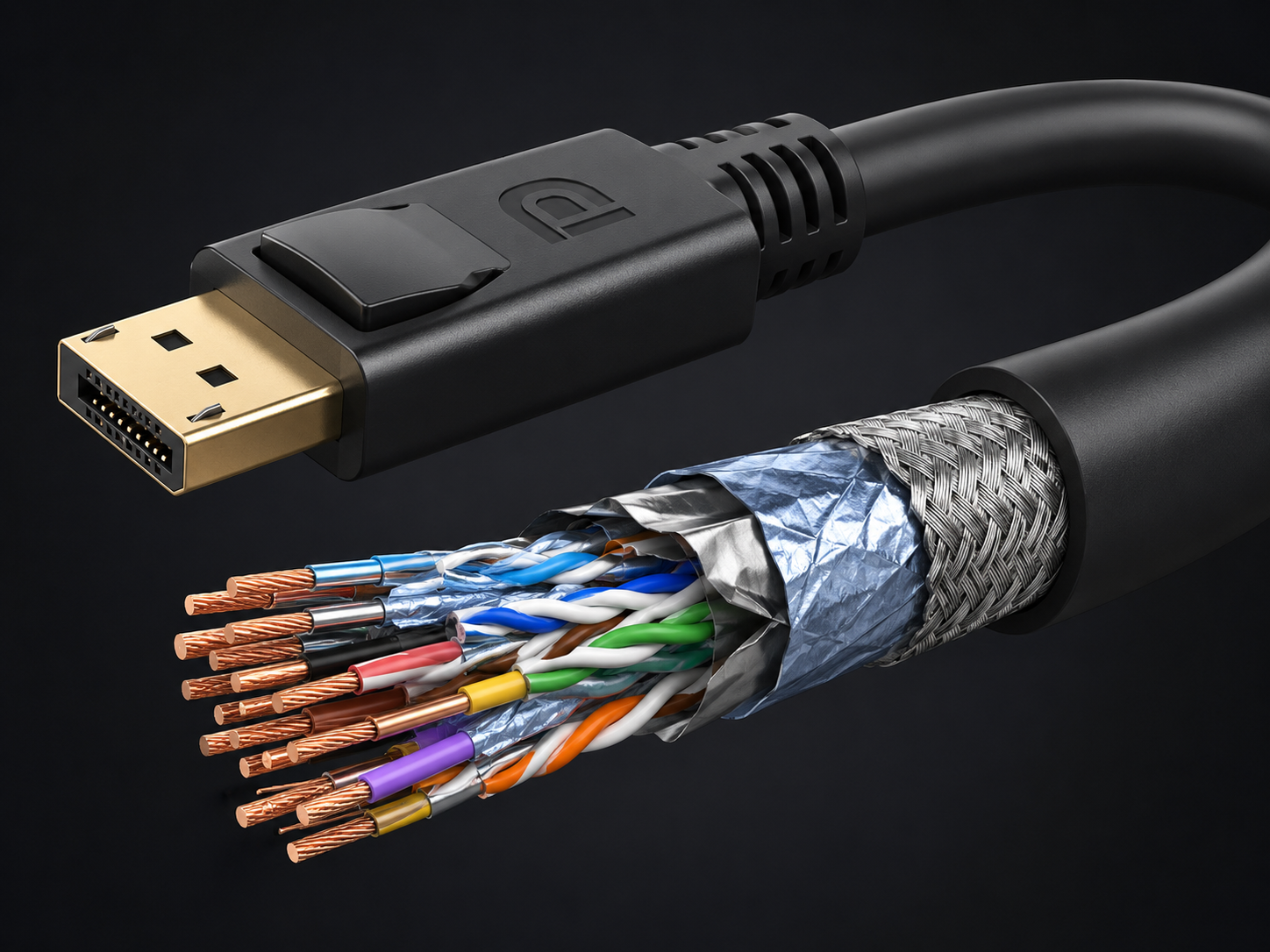
Why Copper Cable Structure Matters
A DP copper cable is not only a jacket and two connectors. Inside the cable, conductor quality, pair twisting, shielding layers, insulation material, and impedance control all affect signal performance. If the structure is not consistent, the cable may create intermittent problems that are difficult for installers to diagnose.
Customers often describe these problems as display failures, monitor compatibility issues, or graphics card problems. But when the same equipment works with a different cable, the root cause becomes clear. A better cable design can reduce troubleshooting time and improve the reliability of the whole display system.
How STAR FIRE TECH Helps Customers Reduce Display Connection Risk
For distributors, OEM brands, AV integrators, and industrial equipment customers, DisplayPort copper cables need to match real project requirements. STAR FIRE TECH supports professional DP cable solutions for customers who need stable signal transmission, flexible sourcing, and consistent quality control.
Instead of only asking for the lowest unit price, buyers can reduce total project cost by choosing cables that lower return rates, reduce installation issues, and improve long-term user experience. For professional display systems, a reliable DP copper cable helps protect the value of the entire workstation or visual system.
FAQ
Q: Why does my DisplayPort monitor flicker? A: Flickering may be caused by insufficient cable bandwidth, weak shielding, excessive length, unstable connector fit, graphics card settings, or compatibility issues between the source and monitor.
Q: Is DisplayPort better than HDMI for professional monitors? A: It depends on the application. DisplayPort is widely used for PCs, workstations, high-refresh-rate monitors, and professional display systems, while HDMI is very common in TVs, AV systems, conference rooms, and consumer display environments.
Q: What should buyers check before sourcing DP copper cables? A: Buyers should confirm the required DP version, resolution, refresh rate, length, shielding structure, connector design, jacket material, and whether the cable will be used in a high-interference environment.
#DisplayPort #DPCable #DisplayPortCable #CopperCable #ProfessionalDisplay #WorkstationSetup #SignalIntegrity #CableManufacturer #AVConnectivity #STARFIRETECH