Table Of Content
Table Of Content
Industrial networks can become unstable when devices are far apart. Long copper cables and electrical interference may cause communication problems, production delays, and costly downtime.
Industrial Ethernet switches use SFP ports to support fiber optic connections over longer distances. Fiber links can connect remote industrial equipment, reduce the effects of electromagnetic interference, and provide electrical isolation between network locations. The actual transmission distance depends on the SFP module, fiber type, and network equipment.
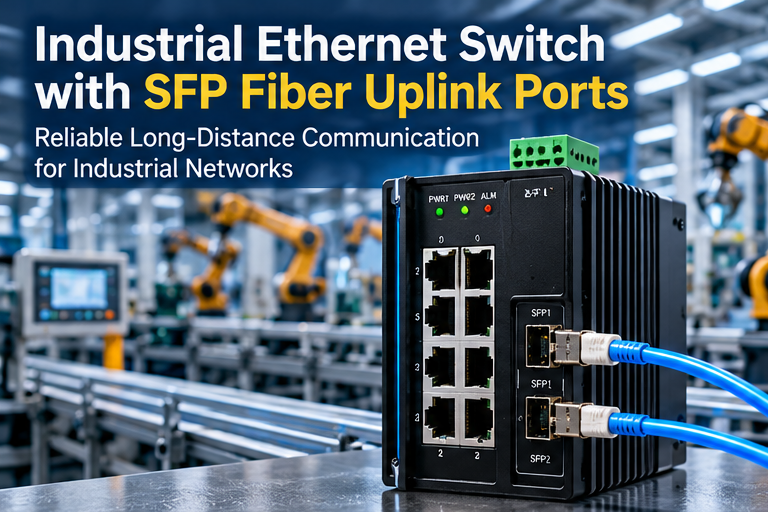
In modern factories, industrial networks connect PLCs, industrial cameras, sensors, robots, and control systems.
These devices often need to communicate across different production areas, buildings, or industrial facilities.
However, standard copper Ethernet connections have distance limits.
For many common copper Ethernet applications, the maximum channel length is 100 meters. The supported distance still depends on the Ethernet standard and equipment specifications.
When devices are located farther apart, engineers need another way to maintain communication.
I believe this is one reason SFP fiber uplink ports have become an important feature in industrial Ethernet switches.
An SFP port allows a compatible fiber optic transceiver to be installed in the switch. This gives engineers more flexibility when designing industrial networks.
From my perspective, the value of an SFP port is not simply its ability to support longer connections.
It also gives engineers more options when dealing with electrical noise, network expansion, and connections between distant equipment.
What Is an SFP Port on an Industrial Ethernet Switch?
Industrial switches may have several Ethernet ports but no fiber connections. This can limit network design when equipment is installed far away or across different factory areas.
An SFP port is a modular interface on an industrial Ethernet switch that accepts a compatible transceiver. A fiber optic SFP module allows the switch to connect to a fiber network. Buyers must match the module's speed, fiber type, wavelength, and distance with the network requirements.
How Does an SFP Port Work?
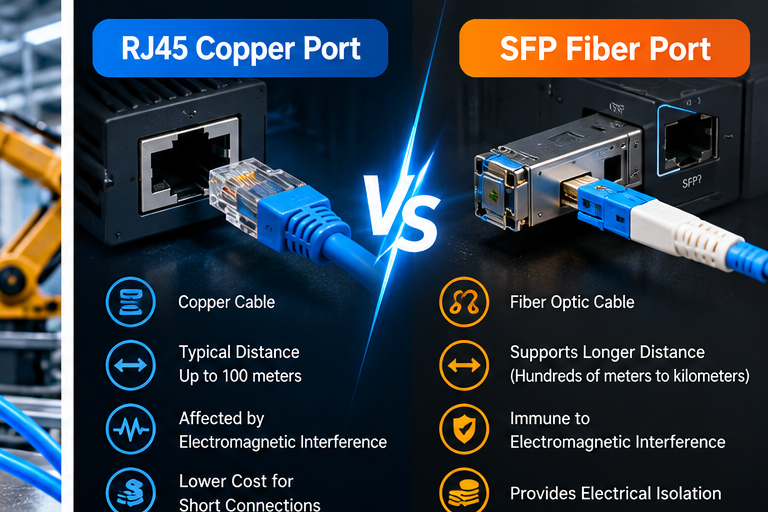
When I explain SFP ports to buyers, I usually begin with the difference between a standard RJ45 port and an SFP port.
An RJ45 Ethernet port is commonly used for copper network cables.
It allows industrial devices such as PLCs, HMIs, cameras, and computers to communicate over compatible copper Ethernet connections.
An SFP port works differently.
SFP stands for Small Form-factor Pluggable.
It is a modular interface designed to accept compatible transceiver modules.
When a fiber optic SFP module is installed, the module converts electrical signals into optical signals for transmission through fiber.
At the receiving end, another compatible transceiver converts the optical signals back into electrical signals.
This allows industrial Ethernet switches to communicate through fiber optic links.
I believe this modular design is useful because buyers can choose different transceiver types according to their network requirements.
For example, a factory may need a short fiber connection between two control cabinets.
Another project may require a connection between buildings several kilometers apart.
These applications may use different SFP modules and fiber types.
However, the SFP port and transceiver must support compatible speeds and operating requirements.
What Is the Difference Between RJ45 and SFP Ports?
I think buyers should understand that RJ45 and fiber SFP ports serve different installation needs. Neither is automatically better for every situation.
Feature
RJ45 Ethernet Port
Fiber SFP Port
Common Transmission Medium
Copper Ethernet cable
Fiber optic cable with a compatible module
Typical Applications
Local equipment connections
Fiber uplinks and remote network connections
Transmission Distance
Commonly up to 100m for many copper Ethernet standards
Depends on module and fiber specification
EMI Resistance
Depends on cable, shielding, and installation
Optical transmission is immune to electromagnetic interference
Electrical Isolation
Depends on interface design
Fiber provides electrical isolation between endpoints
Installation Cost
Often lower for short connections
Includes transceiver and fiber installation costs
Flexibility
Fixed electrical interface
Modular transceiver selection
I recommend using RJ45 ports for suitable local connections and SFP fiber ports when the application benefits from fiber transmission.
For example, several PLCs inside one production area may connect to a local industrial Ethernet switch using copper cables.
The same switch can use an SFP uplink to communicate with another switch in a distant control room.
This design allows different connection types to work within the same industrial network.
Does Every SFP Port Support the Same Speed?
I often see buyers focus on the number of SFP ports without checking the supported data rate.
However, SFP interfaces can support different network speeds.
A standard 1Gbps SFP interface is not the same as a 10Gbps SFP+ interface.
Some industrial switches include dedicated SFP ports, while others offer combo ports that share resources with copper interfaces.
Buyers should confirm the exact port configuration before ordering.
I recommend checking:
I believe these details are especially important for industrial projects that involve several equipment suppliers.
A switch may support a particular SFP module type, but that does not guarantee compatibility with every transceiver available on the market.
For this reason, I recommend checking the switch manufacturer's compatibility information and testing the intended combination.
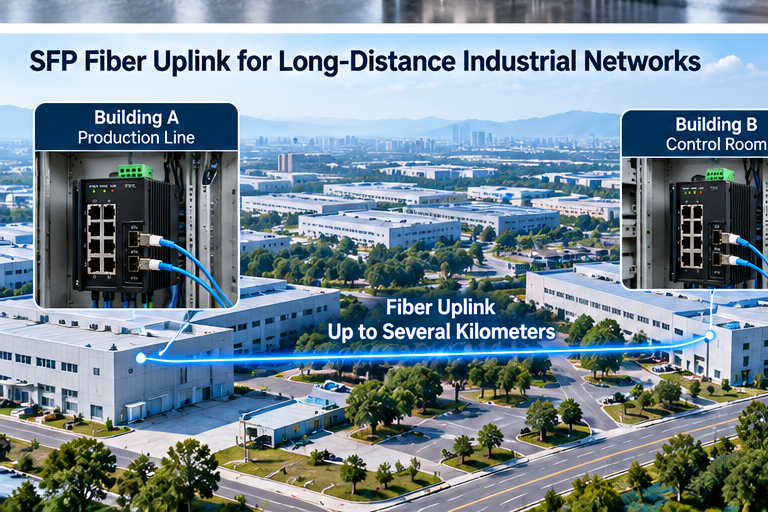
How Do SFP Fiber Uplinks Improve Long-Distance Industrial Network Connections?
Copper Ethernet cables can become unsuitable when devices are installed far apart. Electrical noise and distance limits may complicate network expansion and equipment installation.
SFP fiber uplinks allow industrial Ethernet switches to connect distant network locations through optical fiber. They can support longer links, avoid electromagnetic interference in the fiber transmission path, and provide electrical isolation. Engineers must select compatible transceivers and fiber cables for the required distance.
Why Is Fiber Useful for Long-Distance Industrial Networks?
When I review industrial network applications, I often consider the physical distance between equipment.
A production facility may have several workshops, warehouses, control rooms, or outdoor equipment areas.
Connecting these locations with copper Ethernet cables may not always be practical.
For many common copper Ethernet standards, the maximum supported channel distance is 100 meters.
This limit can create challenges when an industrial camera, PLC, or remote control cabinet is located farther away.
An SFP fiber uplink provides another connection option.
Depending on the transceiver and fiber specifications, fiber optic Ethernet links can support distances ranging from hundreds of meters to many kilometers.
For example, some Gigabit Ethernet fiber standards support the following distances under their specified conditions.
Fiber Ethernet Standard
Fiber Type
Typical Standards-Based Reach
1000BASE-SX
Multimode fiber
Up to 220–550m, depending on fiber characteristics
1000BASE-LX
Single-mode fiber
Up to 5km
1000BASE-LX
Suitable multimode fiber
Up to 550m, with applicable installation requirements
Other optical modules may offer different reaches.
I recommend treating these figures as examples rather than universal limits.
The actual distance must be verified using the switch, SFP transceiver, fiber cable, connectors, and optical power budget.
From my perspective, fiber connections are especially valuable when a factory needs to expand its network without placing additional Ethernet switches every short distance.
How Can Fiber Reduce Electromagnetic Interference Problems?
I believe electromagnetic interference is one of the most important environmental factors in industrial network design.
Factories contain many sources of electrical noise.
These may include industrial motors, variable-frequency drives, welding equipment, power cables, and switching power supplies.
When copper communication cables are installed near this equipment, poor routing or unsuitable cable construction can increase communication problems.
Fiber optic cables transmit data through light instead of electrical signals along the fiber.
This means electromagnetic interference does not directly affect the optical transmission medium.
I think this is an important advantage in industrial environments.
For example, imagine an industrial Ethernet switch installed near a motor control cabinet.
The switch needs to communicate with another network cabinet on the opposite side of a large production area.
Using an appropriate fiber connection can reduce the risk of interference affecting that link.
However, I would not assume fiber automatically solves every network problem.
The industrial switches, SFP modules, power supplies, and connected equipment must still be properly installed.
Network congestion, unsuitable configurations, damaged connectors, and incompatible modules can also cause communication problems.
I recommend evaluating the complete system rather than focusing only on the cable.
Why Is Electrical Isolation Important?
I believe electrical isolation is another important reason to consider fiber uplinks.
Industrial facilities may contain equipment connected to different electrical systems or grounding arrangements.
Copper cables can create unwanted conductive paths between locations if grounding and installation are poorly designed.
Fiber optic cables do not carry electrical current through the optical transmission medium.
This provides electrical isolation between connected network locations.
For example, a fiber link between two separate factory buildings can avoid creating a metallic data-cable path between their network equipment.
This can be useful where ground potential differences or electrical disturbances are concerns.
However, I still recommend following proper grounding, surge protection, and electrical installation practices.
Fiber isolation does not replace electrical safety measures for the connected equipment.
Can SFP Uplinks Help Factories Expand Their Networks?
I believe network expansion should be considered when selecting industrial Ethernet switches.
A factory may start with a small production line.
Over time, it may add more machines, inspection cameras, automated storage systems, or remote control stations.
An industrial switch with suitable SFP uplink ports can help connect these new network areas through fiber.
For example, several local switches may serve different production lines.
Fiber uplinks can connect these switches to a central industrial network.
This can make future expansion more flexible.
However, I recommend reviewing the network topology and available bandwidth before adding more devices.
Fiber provides a transmission medium, but it does not automatically increase the switching capacity of the equipment.
A network with many Gigabit cameras may still experience congestion if the uplink bandwidth is too small.
I believe engineers should calculate expected traffic and allow suitable capacity for future growth.
How Should Buyers Choose an Industrial Ethernet Switch with SFP Ports?
Two industrial switches may offer the same number of SFP ports but different capabilities. Choosing without checking network requirements can increase installation risks and future upgrade costs.
Buyers should choose industrial Ethernet switches with SFP ports based on port speed, fiber compatibility, transmission distance, temperature range, power redundancy, management features, and installation requirements. They should also verify transceiver compatibility, network bandwidth, and environmental specifications before purchasing.
How Many Ethernet and SFP Ports Does a Factory Need?
When selecting an industrial switch, I recommend counting the devices that need network connections.
For example, an automation system may include:
In this example, the buyer needs to consider the required copper ports and at least one suitable uplink interface.
However, the final port count depends on the actual network architecture.
I recommend reserving some capacity for future equipment when practical.
A switch with too few ports may require additional equipment sooner than expected.
At STAR FIRE TECH, our industrial communication portfolio includes different industrial switch configurations, with options covering various Ethernet port counts and fiber uplink designs.
I believe buyers should select the port configuration based on the intended application rather than choosing the largest switch automatically.
Should Buyers Choose Managed or Unmanaged Industrial Switches?
I often see this question during industrial network planning.
Unmanaged switches are generally easier to install.
They forward Ethernet traffic without requiring the same level of user configuration as managed switches.
For simple networks, this may be enough.
Managed switches provide additional network configuration and monitoring options.
Depending on the product, these may include VLANs, Quality of Service, network diagnostics, and redundancy protocols.
Feature
Unmanaged Industrial Switch
Managed Industrial Switch
Configuration
Usually plug-and-play
Requires configuration
VLAN Support
Usually unavailable
Available on suitable models
Traffic Monitoring
Limited
More detailed on supported models
Network Redundancy Features
Limited
Depends on supported protocols
Application
Simple industrial connections
More complex industrial networks
Network Maintenance
Basic troubleshooting
More management options
I recommend considering managed switches when the industrial network involves several production lines, traffic separation, or advanced redundancy requirements.
However, buyers should confirm which management features are actually supported by the selected model.
A managed label does not guarantee that every industrial protocol is available.
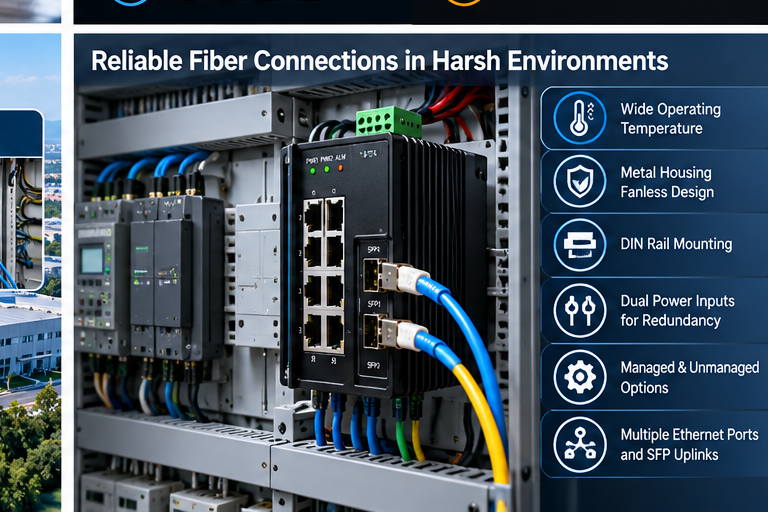
Which Environmental Features Matter Most?
I believe industrial environments create different requirements from ordinary office networks.
A switch installed in a temperature-controlled office may not face the same conditions as a switch installed near heavy manufacturing equipment.
Industrial networks may operate in environments with high temperatures, dust, vibration, electrical noise, and limited cabinet space.
I recommend checking the following specifications.
Requirement
Why I Consider It Important
Operating Temperature
Helps confirm suitability for expected conditions
Metal Housing
Provides mechanical protection and can support thermal design
Fanless Design
Removes fan-related maintenance and failure points
DIN Rail Mounting
Supports installation in industrial control cabinets
Dual Power Inputs
Can provide power redundancy when properly configured
EMI/EMC Performance
Helps evaluate suitability for electrically noisy environments
SFP Port Compatibility
Ensures the intended fiber modules can be used
Network Management
Supports monitoring and configuration where required
At STAR FIRE TECH, we offer industrial Ethernet switch solutions designed for demanding industrial applications.
Our portfolio includes managed and unmanaged options, metal housing designs, DIN rail configurations, and fiber uplink solutions.
Selected models support wide operating temperature ranges and redundant power input designs.
I recommend checking the exact specifications of each model because features vary across configurations.
What Should Buyers Check Before Ordering SFP Modules?
I believe a common mistake is purchasing the industrial switch and SFP transceiver separately without checking compatibility.
An SFP port is only one part of the fiber connection.
The complete link also includes a compatible transceiver at each end and the correct fiber cable.
Before ordering, I recommend confirming these details:
For example, a single-mode optical module designed for a long-distance link should not be selected without checking whether the installed fiber matches its requirements.
The modules at both ends must also use compatible optical specifications.
I recommend requesting the relevant technical datasheets before finalizing the purchase.
How Can STAR FIRE TECH Support Industrial Ethernet Projects?
At STAR FIRE TECH, we have provided connectivity solutions since 2006.
Our business covers Professional Audio Visual, Optical Fiber Communication, Structured Cabling, and Industrial Communication.
For industrial networking applications, we offer Ethernet switch solutions for automation systems, industrial equipment, and network connectivity projects.
Our industrial switch portfolio includes options with different RJ45 port quantities, SFP fiber uplinks, management levels, and installation designs.
We also support OEM and ODM discussions based on customer requirements.
I believe industrial network projects should begin with a clear understanding of the application.
For example, a factory may need an industrial switch to connect several PLCs and cameras to a remote control room.
Another customer may need a compact DIN rail switch for installation inside a small automation cabinet.
These projects require different port configurations, network features, and mechanical designs.
I recommend sharing the following information with our team:
Our team can review the requirements and discuss suitable industrial switch options, technical specifications, and sample evaluation.
I believe a good industrial network solution should focus on stable communication, practical installation, and long-term maintenance.
For automation system integrators, equipment manufacturers, and industrial distributors, the goal is not simply to purchase a switch with more ports.
It is to select a switch that fits the actual network design and operating environment.
If you are looking for industrial Ethernet switches with SFP fiber uplink ports, we welcome the opportunity to discuss your project.
Learn more: https://www.starfirecableshubs.com
Conclusion
I believe SFP fiber uplinks help industrial networks overcome distance and electrical interference challenges. Buyers should verify port speeds, fiber compatibility, environmental requirements, and network design before purchasing.