Table Of Content
Table Of Content
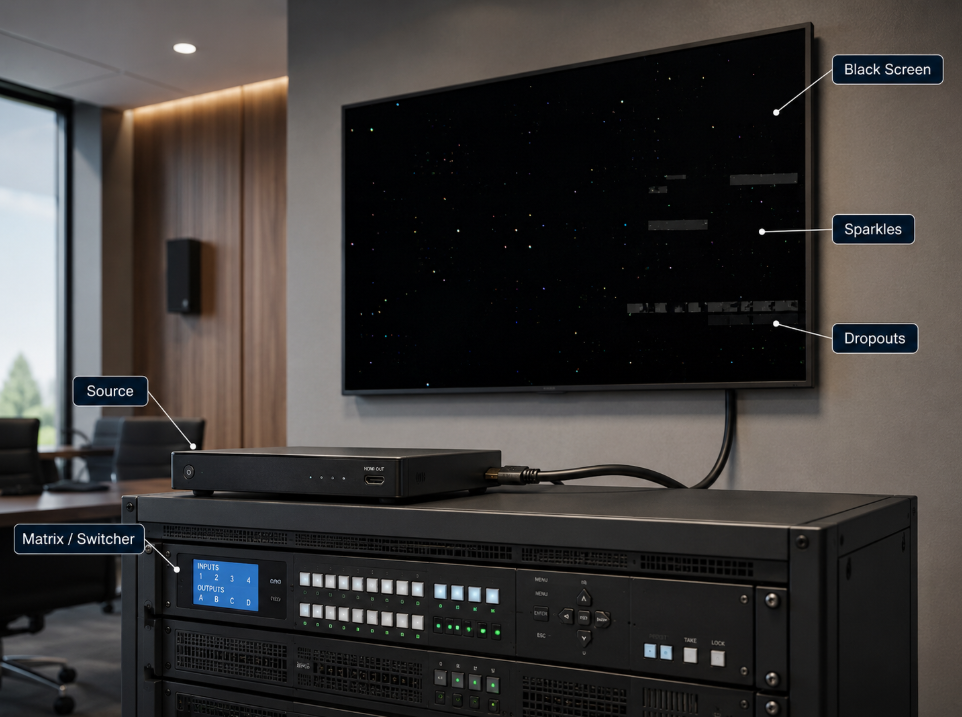
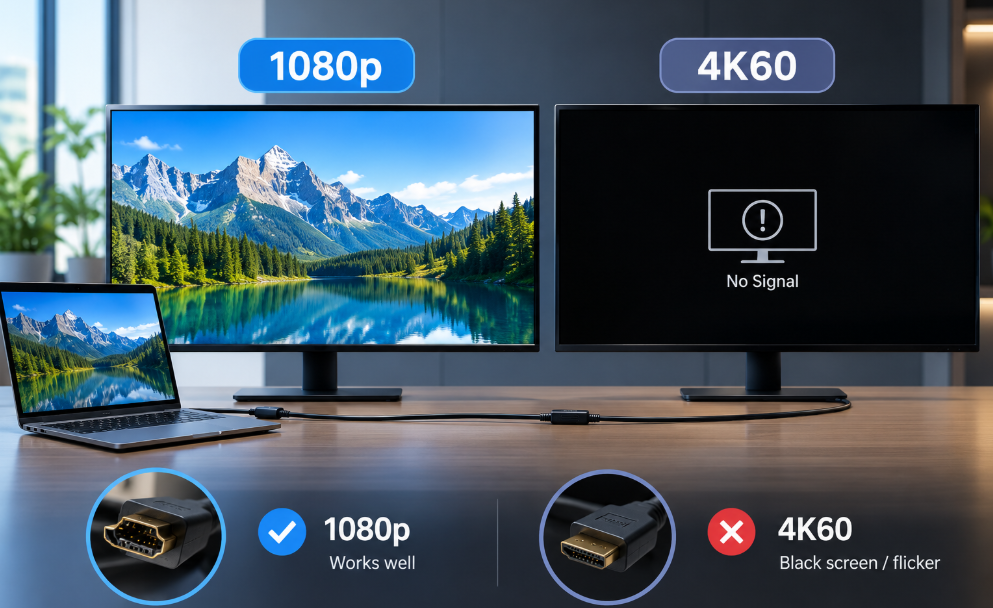
One of the most common HDMI problems in professional AV is also one of the most misleading: a system works perfectly at 1080p, but the moment the source is set to 4K at 60 Hz, the display goes black, flickers, drops audio, or loses sync.
The instinct is often to blame the display, the source, or the HDMI cable. In reality, the failure usually means something more specific: the link has enough signal margin for a lower-bandwidth format, but not enough margin for the higher data rate being requested.
In Pro AV, a link that produces an image is not necessarily a healthy link. A reliable system needs enough electrical and protocol margin for the real format, cable length, connectors, and installation environment.
1080p and 4K60 Are Very Different Electrical Loads
1080p60 is relatively forgiving. A typical 1920 x 1080, 60 Hz, 8-bit RGB or 4:4:4 signal requires only a fraction of the transport bandwidth demanded by 4K60. By comparison, 3840 x 2160 at 60 Hz with 8-bit 4:4:4 sits close to the 18 Gbps ceiling associated with the Premium High Speed HDMI generation.
This is why the same cable can appear flawless at 1080p yet fail immediately at 4K60. The cable did not suddenly become defective. The system simply moved from a comfortable operating point to the edge of its available signal margin.
The first diagnostic principle is simple: resolution changes are also bandwidth changes. If a fault appears only at a higher format, investigate signal integrity and link margin first.
4K60 Is Not One Single Signal
The label '4K60' is incomplete. Color depth and chroma format can dramatically change the required data rate. 4K60 4:4:4 at 8-bit is much more demanding than 4K60 4:2:0, while 10-bit HDR raises the requirement again.
A common field symptom is that 4K60 works at YCbCr 4:2:0 but fails at RGB or 4:4:4, or SDR works while HDR causes black screens. That strongly suggests limited bandwidth margin.
In professional AV, always document the actual format: resolution, refresh rate, bit depth, chroma, HDR mode, and HDCP state. 'It supports 4K' is not a sufficient engineering specification.
Cable Length Reduces Signal Margin
Copper HDMI is a frequency-dependent transmission line. As frequency rises, insertion loss, return loss, impedance discontinuities, crosstalk, and inter-symbol interference become more critical.
At 1080p, the receiver equalizer may have ample headroom. At 4K60, longer cable length, small conductors, poor connector transitions, couplers, wall plates, patch panels, or tight bends can consume the remaining margin.
This is why troubleshooting should evaluate the entire HDMI channel, not just the cable in isolation. Every connection point is part of the signal path.

Certification and Architecture Matter
For 4K60-class TMDS applications, a properly tested Premium High Speed HDMI cable is designed for the full 18 Gbps operating range. For higher-bandwidth HDMI 2.1 applications such as 4K120 or 8K60, the Ultra High Speed HDMI cable category supports up to 48 Gbps and is tested for high-bandwidth operation and EMI performance.
Cable category alone does not eliminate system-level risk. Sources, displays, repeaters, matrix switchers, converters, and adapters all affect the final margin.
For long-distance Pro AV installations, Hybrid AOC is often a better architecture than pushing passive copper beyond a comfortable operating range. Optical transmission reduces high-frequency attenuation over distance and provides strong immunity to electromagnetic interference. Active HDMI AOC, however, is directional, so Source and Display ends must be installed correctly.
EDID and HDCP Can Look Like Cable Failures
Not every 4K60 black screen is caused by the physical channel. EDID and HDCP negotiation can create nearly identical symptoms.
EDID tells the source what the downstream display or AV system claims to support. If an extender, matrix, switcher, or emulator presents an unexpected EDID, the source may output a format that another device in the chain cannot reliably process. HDCP version mismatches can also cause image loss after an apparently successful HDMI handshake.
Separate transport from negotiation: test a known-good source and display directly, then add the cable and intermediate devices one at a time. When available, use an HDMI analyzer to inspect EDID, HDCP, TMDS/FRL mode, and exact timing.
EMI Can Be the Difference Between 'Almost Works' and 'Works'
High-bandwidth HDMI links have less tolerance for poor electromagnetic conditions. In racks, medical imaging rooms, industrial cells, broadcast systems, and control rooms, HDMI may run near power supplies, motors, VFDs, LED processors, or other high-frequency electronics.
A marginal cable may pass on the bench and fail after installation. Shielding, controlled impedance, connector construction, grounding, and route separation matter; optical AOC can be especially useful when long distance and EMI exposure occur together.
A Practical Troubleshooting Sequence
When 1080p works but 4K60 fails, avoid random component swapping. Use a controlled sequence:
- Confirm the source, display, and every intermediate device support the exact 4K60 format required.
- Reduce the format temporarily: test 4K30, 4K60 4:2:0, SDR, or 8-bit. If these work, bandwidth margin is a strong suspect.
- Test with a short, known-good certified HDMI cable.
- Remove adapters, couplers, wall plates, and switchers to simplify the channel.
- Verify EDID and HDCP behavior.
- For AOC, confirm Source and Display direction and available cable power.
- Reintroduce system components one by one and identify where margin is being lost.
- For long runs, consider changing the transmission architecture rather than repeatedly changing cable brands.
The Pro AV Lesson: Design for Margin, Not for a Picture
The most important lesson is broader than HDMI. Professional AV reliability comes from engineering margin.
If a system only barely passes 4K60 in the lab, it may not remain stable after installation, temperature changes, aging, connector wear, firmware updates, or a future source replacement. The question should not be, 'Can I get an image?' It should be, 'How much margin does the system still have when operating at the required format?'
For mission-critical Pro AV, digital signage, control rooms, medical imaging, broadcast, and industrial visualization, designing for margin is usually cheaper than troubleshooting intermittent failures after deployment.
Choosing the Right Connectivity Strategy
At STAR FIRE TECH, we approach HDMI as a signal-integrity problem rather than only a cable-length problem. Applications may call for certified copper HDMI, active copper, detachable optical solutions, or HDMI Hybrid AOC depending on bandwidth, distance, EMI, and installation requirements.
For Pro AV integrators and system designers, the best HDMI solution is not necessarily the thickest cable or the highest specification printed on the package. It is the transmission architecture that delivers adequate bandwidth with enough margin for the real installation.
That is the difference between a link that works during commissioning and a system that remains reliable in operation.
Conclusion
If HDMI works at 1080p but fails at 4K60, the lower-resolution image is not proof that the link is healthy. It is evidence that the link can carry a lighter signal.
Higher resolution, refresh rate, bit depth, and chroma place far greater demands on the channel. When signal loss, EDID/HDCP behavior, EMI, or device limitations consume the remaining margin, the failure becomes visible.
The professional approach is therefore simple: troubleshoot the entire channel, verify the exact video format, and design with margin rather than relying on the fact that 'it works at 1080p.'